
LIVE PORTRAIT AI - REAL EMOTIONS
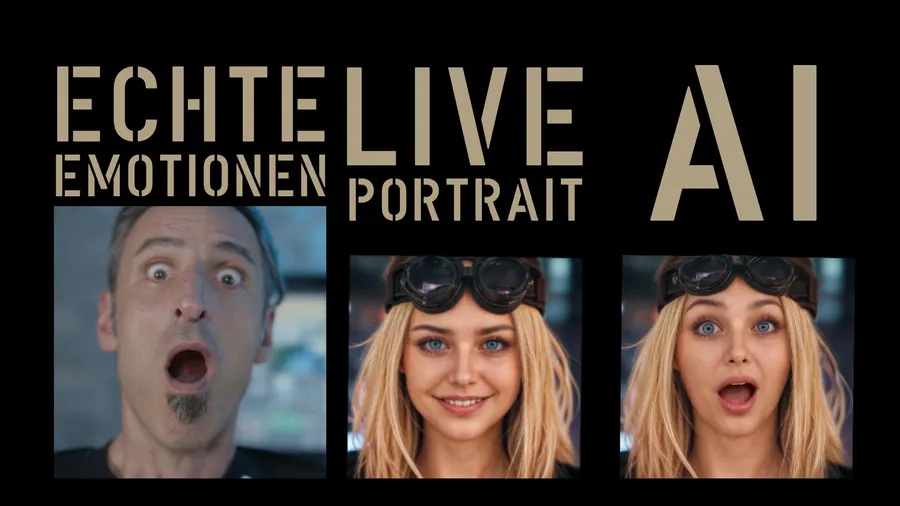
Real emotions! That’s what we want to see! Two of the big topics in creating AI material are lip-syncing and facial expression. We’re not quite there yet – but what you can do with LIVE PORTRAIT by now already looks really good! What you absolutely have to watch out for if you want to play with it yourself, I’ll tell you in this post. One thing almost drove me crazy. Be glad you don’t have to make that mistake!!
This tool doesn’t work via a Discord server or a website like HEDRA, for example. LIVE PORTRAIT runs locally on your computer in a Python environment. What sounds a bit complicated at first glance is just a sequence of commands and you’re ready to go.
I put the description on the blog for you. When all steps have worked, a Python app starts on your computer and when you enter http://localhost:8890/ in a browser, this website appears:
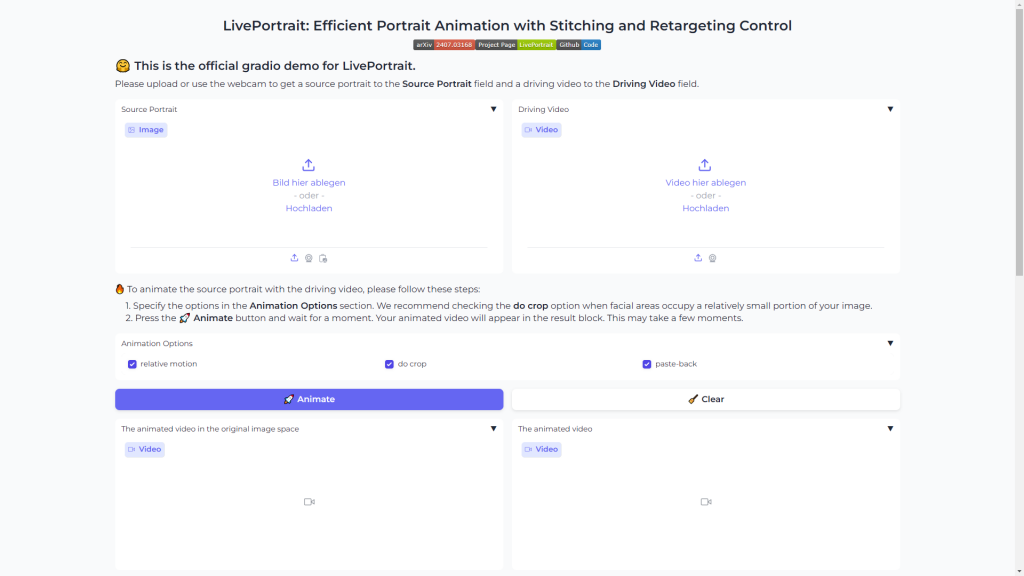
From here on the whole thing works like HEDRA, PIKA, RUNWAY, etc. do too. Upload image, upload reference video and press “ANIMATE”. The CMD window stays open. Here you can now follow the progress of your render in percent and time.
And these are my first results:
The first insights from this short test are:
The background should be a solid color and blurry. In my Max Headroom example the background morphs a lot. The facial expressions are insanely accurate, but head movements should be slow and with little back-and-forth movement.
My mission is still: creating a music video completely with AI.
To test that with LIVE PORTRAIT I put together a song on SUNO:
DOPAMINE by LOVE+GRAVITY
[Verse]
Likes and hearts they come and go
Counting views it’s all a show
Yesterday felt like a star
Today I’m left wondering far
[Verse 2]
Followers they praise my name
Next day lost in all the shame
Emotions swing from high to low
Digital love that steals the show
[Chorus]
Click click get that dopamine
One day up next day I’m unseen
Rollercoaster never ends
Social world it’s just pretend
[Bridge]
Happy face for all to see
Behind the screen I can’t be free
Crave the love the endless stream
Reality a broken dream
[Verse 2]
Comments flood my restless mind
Love and hate so intertwined
One look makes the day alright
One missed makes a sleepless night
[Chorus]
Click click get that dopamine
One day up next day I’m unseen
Rollercoaster never ends
Social world it’s just pretend
I tried to animate verse 1, 2 and the chorus with the new LIVE PORTRAIT.
My first results were more like “Muhaha”. I even painted my beard on with makeup because I thought my mouth wasn’t being recognized properly. All nonsense! What really matters if you play with this tool yourself: the reference video has to start with a reference image!! That is: your uploaded image, which is supposed to speak or sing later, has to match the first frame of the video. That is the baseline!
If your video starts with an open mouth but the image has the mouth closed, the fun doesn’t work!
UPDATE
On YouTube @zuzkuk79 asked whether this also works with faces from the side. Great question! I actually thought: never! But nothing ventured, nothing gained! Here you go:
Works great! Thank you for the question.
LINKS:
LIVE PORTRAIT: https://github.com/KwaiVGI/LivePortrait
SUNO:https://suno.com/
HEDRA:https://www.hedra.com/
HOW TO
Here is the video and the description with which I got it to run:
Step 1: Clone the repository
git clone https://github.com/KwaiVGI/LivePortrait
Step 2: Navigate inside the cloned repository
cd LivePortrait
Step 3: Create virtual environment
python -m venv venv
Step 4: Activate virtual environment
.\venv\Scripts\activate
Step 5: Install requirements
pip install -r requirements.txt
<Some additional steps required in the earlier version are removed>
Step 7: Download models (LivePortrait\pretrained_weights)
https://drive.google.com/drive/folders/1UtKgzKjFAOmZkhNK-OYT0caJ_w2XAnib
Step 8: Run WebUI
.\venv\Scripts\activate
python app.py
For bat file
————————————————-
@echo off
echo Ready to launch the application…
call .\venv\Scripts\activate.bat
set PYTHON=“venv\Scripts\Python.exe“
echo venv %PYTHON%
%PYTHON% app.py
echo.
pause
————————————————-
LIVEPORTRAIT #AIEmotions #LipSync #FacialExpression #AIArt #PythonAI #LocalAI #CreativeTechnology #AnimationTool #ArtTechnology #AIInnovation #RealtimeAnimation #EmotionalAI #AIFaces #TechTutorial #CreativeAI #DigitalArt #ArtificialIntelligence #PythonTutorial #TechBlog #AIAnimation #TechTricks #Rendering #AIProject #TechTips #AIDevelopment #DeepLearning #MachineLearning #TechReview #AnimationTech #AICommunity #OpenSourceAI #Creativity #Technology #InnovativeAI #VideoEditing #AIGraphics #AIDemo